venutian-antfarm
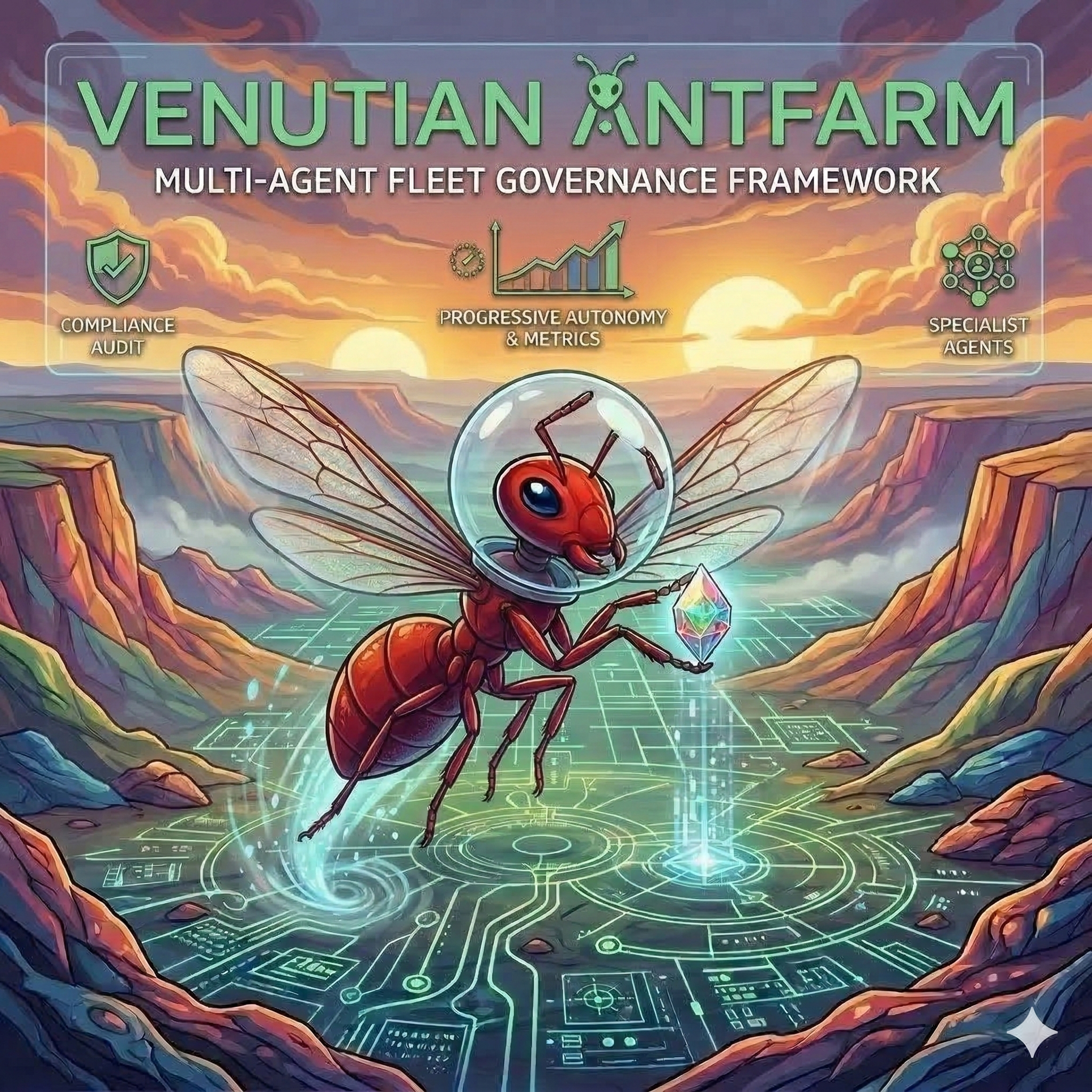

Venutian Antfarm
Read the blog post: Governing the Ant Farm — A Governance-First Framework for Multi-Agent Software Delivery
An agent fleet harness framework for structured multi-agent software delivery. Define your controls in Markdown, the compiler turns them into enforcement hooks. Add your specialist agents, configure progressive autonomy, and start delivering with a governed fleet.
Why Venutian Antfarm?
- Governance-first. Governance floors, change control, and audit trails are built in from day one — not bolted on after an incident. A 7-agent executive governance tier (CRO, CISO, CEO, CTO, CFO, COO, CKO) sets policy independently of the operational chain. Each Cx officer can define a floor with non-negotiable rules enforced by the compiler, hooks, and checksums.
- Progressive autonomy. Fleets start at Crawl (propose everything) and earn autonomy through measurable performance. Pace goes both directions — complexity triggers slowdowns, not just promotions.
- Measurable delivery. DORA metrics, flow quality, pathway analysis, and agent cost tracking out of the box. 26 event types, pluggable backends, and CLI dashboards. The fleet learns from its own data.
- Extensible by design. Define your compliance floor, add your specialist agents, override any skill or agent definition. The harness provides structure; you provide the domain.
Recent highlights:
- Behavioral feedback now involves the whole fleet — specialists propose kudos and reprimands via
recommend, supervisors formalize or reject, and unresolved tensions auto-escalate. Every tier has a voice, no tier has unchecked authority. - Feedback scoring is now weighted — a three-axis multiplier (tier, type, domain) scales with your delivery history using step-function decay. The
scoresubcommand outputs machine-parseable weighted summaries for dashboards and automation. - The metrics pipeline now has a proper signal bus —
ops/lib/signal-emit.shandops/lib/signal-read.share reusable libraries for writing and querying events, with topic subscriptions and source abstraction baked in. - CRO consultations are much cheaper — instead of pulling all 6 Cx officers into every governance review, the CRO selects only the agents with stake in the affected domains. Domain tags on proposals, guided response templates, and early abort on consensus keep the token cost low.
Quick Start
# 1. Clone the template
git clone https://github.com/rdunie/venutian-antfarm.git my-project
cd my-project

# 2. Run interactive onboarding
# In Claude Code, run: /onboard
# This scaffolds runtime directories, defines your compliance floor,
# configures your fleet, and adds your first specialist agent.

# Or set up manually:
cp templates/floors/compliance.md floors/compliance.md
cp templates/fleet-config.json fleet-config.json
# Edit both for your domain, then start Claude Code.
Architecture
flowchart LR
    USER(["Human\nOperator"])

    subgraph Gov ["Governance Layer"]
        GOV(["CRO  CISO  CEO\nCTO  CFO  COO  CKO"])
    end

    subgraph Harness ["Harness Layer"]
        S(["Strategic\nPO  SA  SM"])
        MM["Knowledge Ops"]
        PO_OPS["Platform Ops"]
        CA["Compliance Auditor"]
    end

    subgraph AppLayer ["App Layer (you define)"]
        E(["Execution\nSpecialists"])
        R(["Review\nAgents"])
        O(["Output\nAgents"])
    end

    USER --> Gov
    USER --> S
    Gov --> S
    S --> E
    S --> R
    E --> R
    E --> O

    style USER fill:#90caf9,stroke:#1565c0,color:#1a1a1a
    style GOV fill:#ce93d8,stroke:#6a1b9a,color:#1a1a1a
    style S fill:#90caf9,stroke:#1565c0,color:#1a1a1a
    style MM fill:#90caf9,stroke:#1565c0,color:#1a1a1a
    style PO_OPS fill:#90caf9,stroke:#1565c0,color:#1a1a1a
    style CA fill:#ef9a9a,stroke:#b71c1c,color:#1a1a1a
    style E fill:#a5d6a7,stroke:#2e7d32,color:#1a1a1a
    style R fill:#ef9a9a,stroke:#b71c1c,color:#1a1a1a
    style O fill:#ffcc80,stroke:#e65100,color:#1a1a1a
How Controls Work
You write rules in a Markdown floor file — plain prose that agents can read and follow. For rules you want automated enforcement on, you add an enforcement block underneath that tells the compiler what to check.
Floor file (prose + enforcement blocks)
    → Compiler validates blocks against schema
    → Generates hook scripts, coverage report, integrity manifest
    → Hooks fire on every edit — block or warn per rule
    → --verify catches drift if anyone tampers with generated artifacts
Here’s what that looks like in practice:
1. **No hardcoded secrets.** Keep credentials, API keys, and tokens out of
   version control. Use environment variables or a secrets manager.

```enforcement
version: 1
id: no-hardcoded-secrets
severity: blocking
enforce:
  pre-tool-use:
    type: file-pattern
    patterns: ['\.env$', 'secrets?\.yaml$', '\.pem$', '\.key$']
    action: block
```
The prose is what agents read. The enforcement block is what becomes a hook check. Not every rule needs one — rules without enforcement blocks show up as “judgment-only” in the coverage report, meaning they rely on review rather than automation. The coverage report makes that gap visible so you can decide whether to close it.
Generated artifacts are checksummed. If the source floor changes without recompilation, or someone hand-edits a generated file, --verify flags it. The guardian Cx officer (CRO for compliance, COO for behavioral) owns the floor — changes go through governed change control. See the Governance Floors Guide for the full process and the Compiler Guide for enforcement block syntax.
What You Get
13 core agents across two tiers:
Governance (7) — Executive leadership that sets policy, standards, and controls independently of the operational chain:
| Agent | Role | What It Does |
|---|---|---|
| cro | Chief Risk Officer | Floor guardianship, change control, cross-floor risk assessment |
| ciso | Security authority | Security benchmarks, security controls, threat assessment |
| ceo | Strategic alignment | Digital twin of implementer, mission/vision, executive brief |
| cto | Technology enablement | Technology floor, tech standards, architecture direction |
| cfo | Cost governance | Token budget strategy, cost efficiency, resource allocation |
| coo | Operational efficiency | Process standards, SLAs, agent performance, retraining |
| cko | Knowledge quality | Knowledge standards, distribution cadence, guidance registry |
Operational (6) — Leadership triad + cross-cutting agents that orchestrate and execute delivery:
| Agent | Role | What It Does |
|---|---|---|
| product-owner | Business context | Backlog management, prioritization (WSJF), acceptance, quality gate |
| solution-architect | Technical context | NFRs, architecture decisions, cross-system coherence |
| scrum-master | Process facilitation | Pace control, findings reviews, conflict resolution, retros |
| knowledge-ops | Knowledge operations | Memory consistency, learning distribution (under CKO direction) |
| platform-ops | Dev platform | DORA metrics, CI/CD, cross-environment visibility |
| compliance-auditor | Compliance review | Audits work output against compliance floor rules during Review |
Progressive Autonomy
flowchart LR
    CRAWL["Crawl\nPropose everything"] -->|"few findings,\nclean handoffs"| WALK["Walk\nStandard autonomy"]
    WALK -->|"low rework,\ngood judgment"| RUN["Run\nExpanded autonomy"]
    RUN -->|"proven record,\nmature memories"| FLY["Fly\nFull autonomy"]

    FLY -.->|"regression or\ncomplexity"| RUN
    RUN -.->|"rising rework\nor findings"| WALK
    WALK -.->|"significant\nmistake"| CRAWL

    style CRAWL fill:#ef9a9a,stroke:#b71c1c,color:#1a1a1a
    style WALK fill:#ffcc80,stroke:#e65100,color:#1a1a1a
    style RUN fill:#90caf9,stroke:#1565c0,color:#1a1a1a
    style FLY fill:#a5d6a7,stroke:#2e7d32,color:#1a1a1a
Every fleet starts at Crawl. Evidence-based transitions only. Pace goes both directions — complexity or quality issues trigger fallback to a lower pace.
Work Item Lifecycle
flowchart TD
    G["1. Groom"] --> P["2. Promote"]
    P --> B["3. Build"]
    B --> R["4. Review"]
    R -->|"pass"| D["6. Deploy\n(per env)"]
    D -->|"all envs pass"| A["7. Accept"]
    A --> RT["8. Retro"]
    RT --> C["9. Checkpoint"]
    C -->|"next"| G

    R -->|"rework"| F["5. Fix"]
    D -->|"code problem"| F
    A -->|"rejection"| F
    F -->|"re-validate"| B

    style G fill:#90caf9,stroke:#1565c0,color:#1a1a1a
    style P fill:#90caf9,stroke:#1565c0,color:#1a1a1a
    style B fill:#a5d6a7,stroke:#2e7d32,color:#1a1a1a
    style R fill:#ffcc80,stroke:#e65100,color:#1a1a1a
    style F fill:#ef9a9a,stroke:#b71c1c,color:#1a1a1a
    style D fill:#a5d6a7,stroke:#2e7d32,color:#1a1a1a
    style A fill:#a5d6a7,stroke:#2e7d32,color:#1a1a1a
    style RT fill:#90caf9,stroke:#1565c0,color:#1a1a1a
    style C fill:#bdbdbd,stroke:#424242,color:#1a1a1a
Metrics Pipeline
DORA + flow quality metrics out of the box, with a pluggable backend (JSONL default, webhook/StatsD/OpenTelemetry configurable). 26 event types tracked across delivery, quality, agent cost, PR lifecycle, compliance, and governance categories.
flowchart LR
    EMIT["ops/lib/signal-emit.sh"] --> JSONL["events.jsonl"]
    LOG["ops/metrics-log.sh"] --> EMIT
    JSONL --> READ["ops/lib/signal-read.sh"]
    READ --> DORA["ops/dora.sh"]
    READ --> SCORE["feedback-log.sh score"]

    style EMIT fill:#a5d6a7,stroke:#2e7d32,color:#1a1a1a
    style LOG fill:#a5d6a7,stroke:#2e7d32,color:#1a1a1a
    style JSONL fill:#bdbdbd,stroke:#424242,color:#1a1a1a
    style READ fill:#a5d6a7,stroke:#2e7d32,color:#1a1a1a
    style DORA fill:#90caf9,stroke:#1565c0,color:#1a1a1a
    style SCORE fill:#90caf9,stroke:#1565c0,color:#1a1a1a
See the Metrics Guide for all event types, dashboard examples, and how agents adapt their behavior based on metrics feedback.
Agent Inheritance
flowchart LR
    subgraph H ["Harness Agent"]
        HF["name, model,\nprotocol, autonomy"]
    end
    subgraph A ["App Agent (extends)"]
        AF["retro cadence,\nautonomy override"]
    end
    subgraph M ["Runtime Agent"]
        MF["merged result"]
    end

    H -->|"base preserved"| M
    A -->|"app overrides"| M

    style HF fill:#90caf9,stroke:#1565c0,color:#1a1a1a
    style AF fill:#ffcc80,stroke:#e65100,color:#1a1a1a
    style MF fill:#a5d6a7,stroke:#2e7d32,color:#1a1a1a
App fields override harness fields. Unmentioned harness fields are preserved.
Key Concepts
- Governance Floors + Compiler: Described above in How Controls Work. Full reference: Governance Floors Guide, Compiler Guide.
- Feedback System: Behavioral feedback via kudos and reprimands. Any agent can propose feedback; supervisors formalize or reject; unresolved tensions auto-escalate. Each agent builds a weighted behavioral profile over time — weighted by tier, type, and domain. Use
ops/feedback-log.shto issue feedback, query profiles, and get scored output. See the Feedback Guide for the full reference. - Findings Loop: Structured learning where agents record notable events, the SM curates refinements, and the CKO directs knowledge-ops to distribute learnings fleet-wide. The same finding type should decrease over time.
- Fix Ownership: The agent that authored the code is responsible for fixing it, regardless of where the issue was discovered. Diagnosis is collaborative; the fix returns to the author so the learning stays with them.
- Environment Discipline: All code changes happen in dev only. Agents may diagnose in any environment (read-only), but fixes flow through the deployment chain: branch, PR, merge, deploy through promotion order.
Skills
| Skill | What It Does | Primary Agent |
|---|---|---|
/po |
Backlog management, prioritization, grooming, review | product-owner |
/retro |
Run a retrospective for a completed work item | scrum-master |
/onboard |
Interactive project setup | – |
/handoff |
Structured agent-to-agent handoff with metrics logging | all agents |
/deploy |
Two-step merge + deploy through promotion order | platform-ops |
/findings |
Findings register: log, review, triage, patterns | scrum-master |
/audit |
Compliance audit against the compliance floor | compliance-auditor |
/pace |
Pace control: status, evaluation, transitions | scrum-master |
/memory |
Knowledge management: audit, distribute, optimize, gaps | knowledge-ops |
/compliance |
Compliance program: propose, review, apply, audit, log | cro |
/behavioral |
Behavioral floor management: propose, review, apply | coo |
/floor |
Generic floor management for any governance floor | floor guardian |
/governance |
Executive governance: brief, decisions, guidance, CEO autonomy | ceo |
All skills can be overridden by implementers. Create .claude/skills/<name>/SKILL.md in your project to replace the harness default.
Documentation
- Governing the Ant Farm – Blog post introducing the framework’s philosophy and design
- Getting Started – Step-by-step onboarding guide
- Agent Fleet Pattern – The full pattern specification
- Collaboration Protocol – How agents work together
- Collaboration Model – Visual diagrams
- Metrics Guide – Event types, dashboards, extending metrics, example output
- Compiler Guide – Enforcement block syntax, compiler pipeline, artifact reference
- Governance Floors Guide – Multi-floor governance pattern, adding floors, floor lifecycle
- Pathway Analysis – Agent communication pathway analysis: declaring, interpreting, governance
- Feedback Guide – Behavioral feedback system: proposal flow, escalation, weighted scoring
- Signal Bus – Signal bus libraries: emit/read API, topic conventions, source abstraction
- Examples – 5 progressive examples from getting started to operational maturity
What’s Coming Next
- Tamper-resistant configuration (#23) — Integrity protection for fleet-config.json and agent definitions, similar to floor checksums.
- Multi-context orchestration (#21) — Coordinate agents across multiple Claude Code sessions for longer-running workstreams.
- COLLABORATION.md split (#20) — Break the collaboration protocol into focused reference docs that are easier to navigate and maintain.
- Sentinel file bypass (#19) — Mechanisms for safely bypassing sentinel checks in controlled scenarios without weakening governance.
See the backlog for the full roadmap.
License
Copyright 2026 RD Digital Consulting Services, LLC. Dual-licensed under AGPL 3.0 (with app-layer exemption) and a commercial license. See LICENSE.
Open-source use: Free for internal use, building products, consulting, and education. Your agents, compliance floors, and configs are your IP.
Commercial license required for: Offering the framework as a managed service/SaaS, reselling, or white-labeling. Contact RD Digital Consulting Services, LLC.